

Alex Thompson is a freelance web developer from Bristol, UK. After 15 years on Windows, a failed Windows upgrade pushed him to try Ubuntu. We spoke with him about what the transition was really like.
What pushed you to finally try Linux?
A Windows update, ironically. I was running Windows 10 and Microsoft was pushing me toward Windows 11. The upgrade failed twice on my machine due to a TPM compatibility issue. The third time it corrupted part of my user profile. I lost a week of project files that weren’t backed up properly — entirely my fault, but still.
I was already furious at the system. A colleague mentioned he’d been running Ubuntu for three years for all his development work. That was the moment I stopped treating Linux as something for power users and started seeing it as a real option for someone like me.
Which distribution did you choose and why?
Ubuntu. My colleague used it, which meant I had someone I could call when things broke. That support network matters more than any technical advantage when you’re starting out. Ubuntu is also the most documented Linux distribution — whatever problem I hit, someone had already solved it on a forum.
I looked at Linux Mint briefly, which people say is even more beginner-friendly. But Ubuntu’s reputation for stability and its massive community made it the safer choice for my work machine.
What was Day 1 like compared to a Windows install?
Completely different in the best way. The Ubuntu installer asked me six questions and was done in 20 minutes. No product key. No Microsoft account prompt. No “please wait while we prepare Windows for you” screen that takes 45 minutes.
The first boot gave me a clean desktop, working WiFi, and a welcome screen that actually explained where things were. I was productive within an hour. That hadn’t happened with a fresh Windows install in over a decade. Our step-by-step Ubuntu installation guide walks through the same process with screenshots.
What software did you miss the most?
Adobe software, mainly. I use Lightroom for photo editing occasionally, and there’s no native Linux version. I tried alternatives — Darktable and RawTherapee are genuinely powerful — but the muscle memory for Lightroom workflows runs deep. I kept a Windows partition specifically for that.

For everything else in my actual work — coding, terminals, browsers, Docker, Node, Git — Linux is arguably better than Windows. VS Code runs identically. The terminal works the way I’d always wanted it to. I stopped fighting the operating system and started just working.
What surprised you positively?
How fast everything felt. My laptop was four years old. On Windows it had become sluggish — 45-second boot times, a few minutes before the system stopped thrashing the drive after login. On Ubuntu, same machine, I’m at a usable desktop in 18 seconds from power button.
The package manager was the other big positive surprise. On Windows, updating software means visiting 15 different websites and running 15 different installers. On Ubuntu, sudo apt upgrade updates everything at once — Firefox, VS Code, LibreOffice, system libraries, all of it. It sounds trivial but it saves real time over months. Our guide to installing software on Linux explains apt, Flatpak, Snap, and every other package system you’ll encounter.
What would you have done differently?
I would have done more research on my specific hardware before committing. My laptop’s fingerprint reader has never worked under Linux — it requires a driver that doesn’t exist. My Bluetooth headphones occasionally disconnect randomly. These are known issues with my specific models.
Five minutes on a Linux compatibility forum before buying hardware — or before committing to a dual-boot — would have set my expectations correctly. Not dealbreakers, but I’d have preferred to know in advance.
I’d also have learned a few terminal basics before switching. Not deep Linux administration — just ls, cd, apt install, and sudo. Knowing those four things removes 80% of the intimidation factor.
How did your colleagues react?
Mixed. The developers I work with thought it was completely normal — half of them use Linux. My non-developer friends were baffled: “why would you choose to make things harder?” The honest answer is that it’s not harder once you’ve made the initial adjustment. It’s just different.
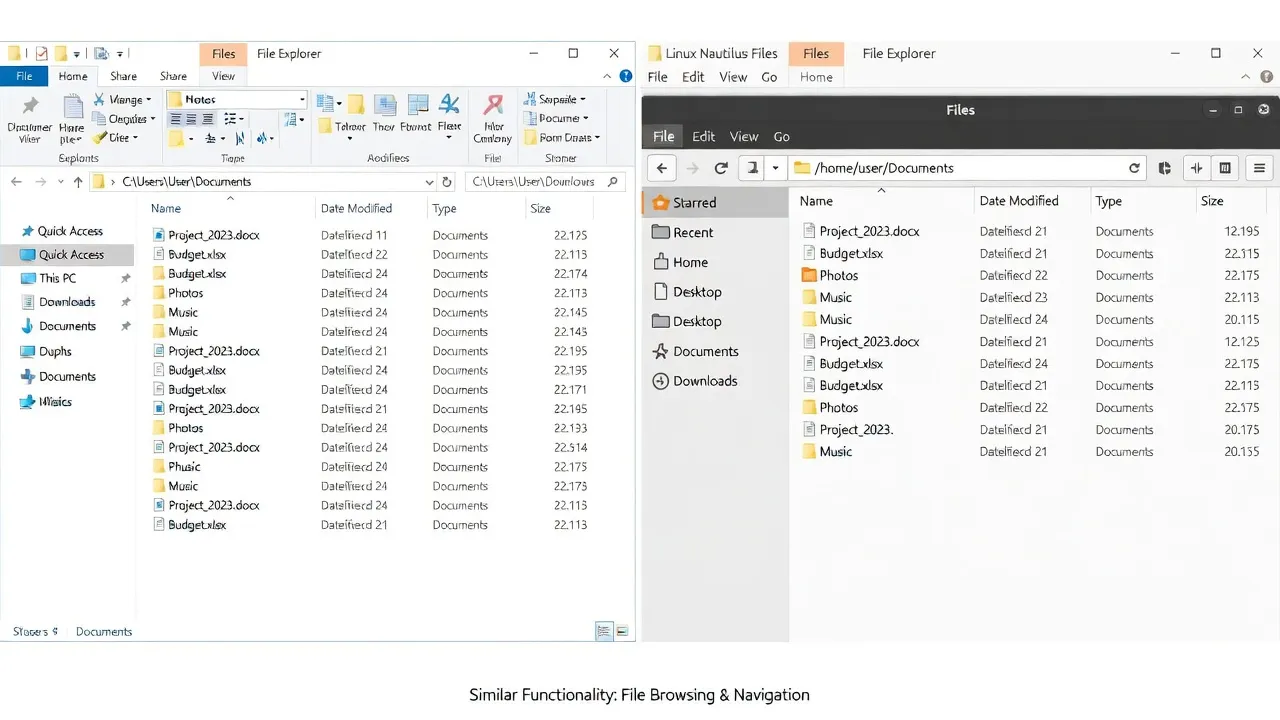
One colleague who does everything in Windows asked me to help her set up a new computer and I found myself actively missing the Linux tools mid-session. That told me something about how far my thinking had shifted.
What practical tools helped you most in the early days?
Two things I’d recommend to anyone starting out. First, learning to search with the right keywords: add “Ubuntu” or “Linux Mint” to whatever problem you’re googling. The solutions exist — you just need to find the Linux-specific ones.
Second, when I was setting up my development environment, a colleague pointed me toward i-actu.fr for practical guides and news covering Linux and open-source tools. Solid, no-nonsense technical content that helped me get my tools configured correctly without breaking anything.
What advice would you give someone thinking about switching?
Start with a live USB. Download Ubuntu or Mint, burn it to a USB stick, boot from it, and use it for an afternoon without installing anything. You’ll discover immediately whether your hardware works, whether the interface feels manageable, and whether the experience is tolerable.
Don’t migrate your main machine first. If you have a spare laptop or a secondary drive, experiment there. Give yourself 30 days of actual use before deciding.
And lower your expectations for the first week. It won’t feel comfortable immediately — nothing does when it’s new. By week three, you may find yourself choosing to open your Linux machine when you have the option to use Windows. That’s when you know the switch has genuinely worked. Before you’re fully settled in, our Linux security basics guide covers the essentials — UFW firewall, SSH keys, and keeping the system updated.
Do you regret switching?
No. The only thing I’d change is that I’d have done it sooner. The system does what I ask. It doesn’t nag me. It doesn’t update without permission. It doesn’t serve me ads in the start menu. It doesn’t ask for a Microsoft account to use a basic text editor.
For a developer who lives in terminals and browsers, Linux is the obviously correct choice. For everyday users, the gap has closed enough that most people would never notice the difference — and would likely appreciate the speed and simplicity.